 Hi evry one in this tutorial we're going to create a custom brush using coreldraw x4
wilogo

Creat a custom brush in coreldraw x4
Hi evry one in this tutorial we're going to create a custom brush using coreldraw x4
HalfTone effect in CorelDraw x4
 Hi every we're going to create a half tone effect using corel draw x4 download the tutorial here
Corel draw quick tips

hi every body here I'm again with a news corel draw tips you learn how to creat retro art shapes using the fish eye tool "sorry i could not upload the video on my blog "
click here to download the tutorial so enjoy it
Music icon Corel draw x4 Tutorials

Hi in this Tutorial we are going to create a music Icon like iTune icon so let start
STEP-1 Create a circle + in the keyboard and hold down the shift and use the intersection tool

now duplicate the object and draw and othe circle in the midle
Select all object and p inthe key board to put them in centre
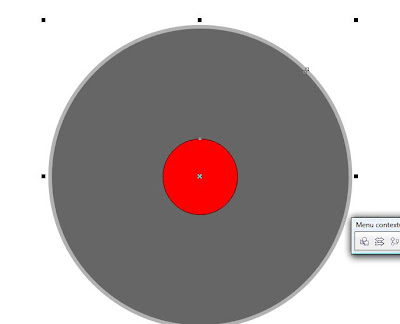
Now select the the small circle and the medium and apply intersection
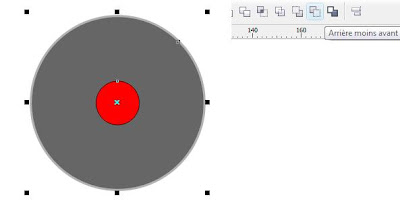
Now lets color our CD
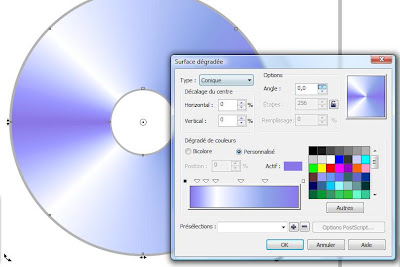
use the gradient tool

STEP-2
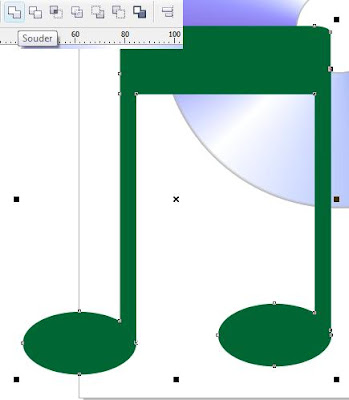
using the 2 oval circls and 3 rectangle we are going to create the second object

Now weld them
Now lets add the light effect
use 2 circle and 3 rectangle

Now add the transparency

now resize it

Done...
Corel Draw Vector package

Hi here is a very nice and usefull Vecotrial packs you can use it in your conseptions so download the CDR file here
Make CorelDraw Appear like Illustrator Cs3

HI .. here a very nice trick you will make your corel draw x4 Appear like illustrator CS3
EDIT>Preference or Ctrl+J

Great now you can work You can feel familiar with coreldraw x4
Inscription à :
Articles (Atom)